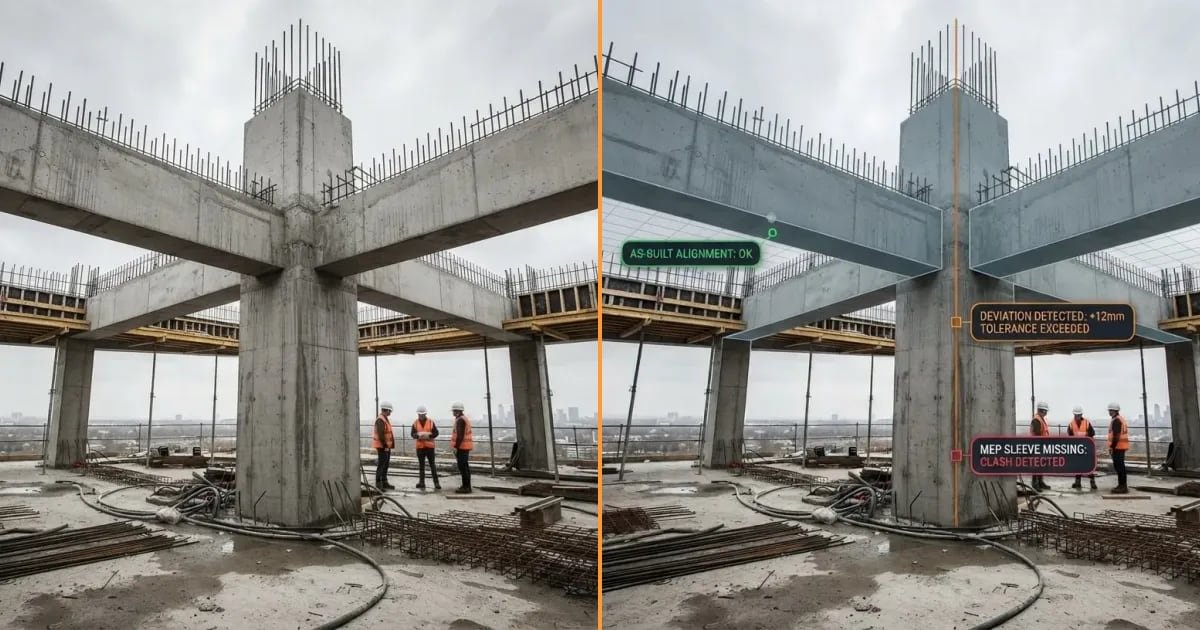
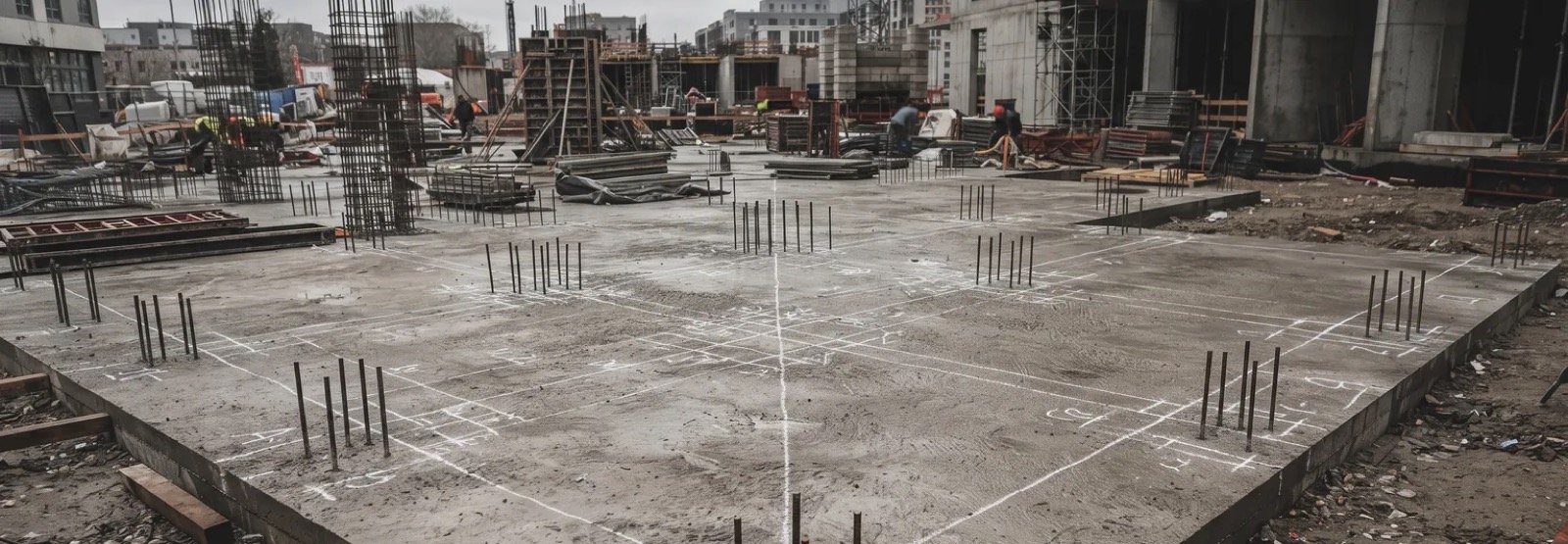
As-built verification is checking the work that was actually built against the BIM model, on site, while it can still be fixed. It is not the same as producing as-built drawings at the end. The useful check happens before concrete is poured, before ceilings close and before handover, and it leaves a record with a photo and a position.
An approved model is not a correct building.
The model was coordinated, clash-checked and signed off. Then it went to site, where a drawing reached the gang late, the formwork moved a little, and a duct was rerouted around something nobody had modelled. None of that is unusual. What decides the cost is when anyone notices.
This guide covers what as-built verification is, the methods teams use for it, when to check, what a good check should leave behind, and how it works with an AR overlay on an iPhone or iPad.
What as-built verification is
As-built verification is comparing the built work with the design model, element by element, on site. Is the wall where the model says? Is the sleeve at the right level? Does the duct clear the beam?
It is often confused with two other things.
| Term | What it is | When it happens |
|---|---|---|
| Clash detection | Comparing models with each other, before anything is built | Design and coordination |
| As-built drawings or model | Recording what was built, usually for the owner and the facilities team | The end of the job |
| As-built verification | Comparing the real build with the model, so deviations are found and fixed | During construction, before work is covered |
Clash detection protects the design. As-built drawings document the result. Verification is the step in between, and it is the only one of the three that can still change what gets built.
Why it matters: six deviations that get closed in
Most deviations are small and ordinary. They become expensive only because they are hidden before anyone compares them with the model. These are the six we see most often.
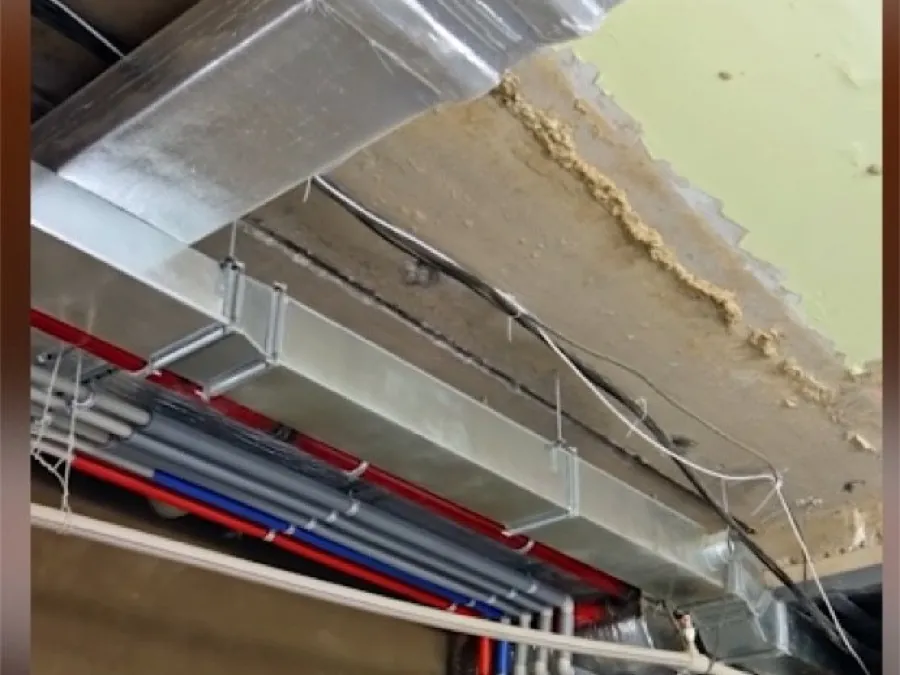
- Duct fouls the beam. The duct was drawn below the beam. On site it was hung at the level that was easiest that morning.
- Set out off the grid. A wall or column line is set out from the wrong reference and every trade after it inherits the offset.
- Lines run uncoordinated. Pipes, trays and ducts compete for the same ceiling void, in an order the model never agreed.
- Conduit off the route. Embedded conduit follows the shortest path, not the drawn one, and nobody knows where it runs once the slab is cast.
- Wall opened after building. An opening or a chase is cut into finished blockwork because it was missed before plaster.
- Formwork off the layout. Shuttering is fixed a few centimetres out, and the error is cast in concrete.
Each of these is cheap to fix while it is visible and expensive once it is covered. In a ceiling void, the cost shows up the moment the next trade cannot fit.
The question is not whether the build will drift from the model. It is whether you find out before or after it is covered.
The methods: how teams check the build against the model
There are four common ways. Most projects use more than one.
| Method | How it works | Strength | Limit | Best for |
|---|---|---|---|---|
| Tape and drawings | Measure from gridlines and compare with printed dimensions | Cheap, no equipment | Slow, error-prone, checks a few points only, rarely recorded | Quick spot checks |
| Total station | A surveyor shoots points and compares coordinates with the model | Very precise on the points measured | Needs a surveyor, sees only the points you choose | Setting out and critical positions |
| Laser scan to BIM | Scan the space, then compare the point cloud with the model in the office | Captures everything visible in detail | Results arrive after processing, often days later | Complex areas, existing buildings, final records |
| AR overlay on site | See the model on the real build through a tablet or phone and compare it there | Immediate, by trade, on the spot, recorded as you go | Needs a prepared IFC model and good tracking | Routine checks before close-up |
They are not rivals. A total station sets out, a laser scan documents, and an AR overlay lets the site team check routinely, every floor, before work is covered. The gap on most projects is that last one: the check that happens often enough to catch things in time.
When to check: before the work is covered
Verification is worth most at the moments when something is about to become hard to see or hard to change.
- Before a slab pour: sleeves, inserts, embedded conduit and openings.
- After setting out: wall and column lines against the grid.
- Before blockwork closes: openings, boxes and chases.
- Before a ceiling is boarded: ducts, trays, pipes and their levels.
- Before a shaft or riser is closed: vertical services and supports.
- Before handover: a final record of what is behind the finishes.
On a design-build project, where nobody independent is paid to check, these moments are easy to skip. They are also exactly where a check pays for itself.
What a good check leaves behind
A check that is not recorded is a conversation. A useful one produces four things at the moment of checking.
| Output | Why it matters |
|---|---|
| A photo | What was actually there, not a memory of it |
| A position | Where in the model the deviation is, so the office can find it |
| The deviation | What differs from the model, and by how much |
| An owner | Who fixes it, and a re-check before it is closed |
The weak version is a signature at the end of a shift. It records that somebody signed, not what was built. The strong version is evidence a project manager, a client or a facilities team can open months later and trust.
Doing it with AR on site, in four steps
This is how as-built verification works with DeltaARBIM on an iPhone or iPad with LiDAR.
- Open the model. Load your IFC and pick the floor you are standing on.
- Scan the corner. The app reads the floor with LiDAR and builds a grid from it. No markers needed to start.
- Drop the pin. One anchor ties the model to the building, and it holds as you walk.
- Compare. The real wall and the model on the same screen. Turn trades on and off (structure, walls, HVAC, water, electrical) and check one system at a time.
Overlay accuracy is about ±2 cm on site, after tracking warm-up. That is good enough to see a duct that fouls a beam, a wall that is off its line, or a sleeve that was never cast. It is not a replacement for a total station where millimetres matter.
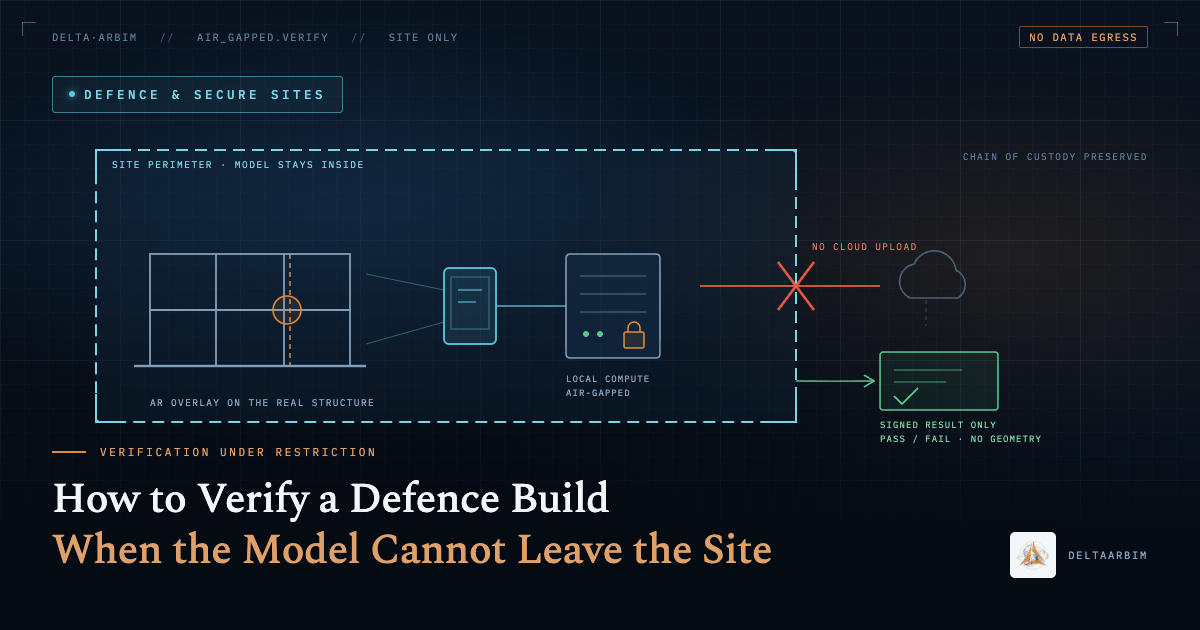
It runs fully offline, which matters in basements, cores, plant rooms and secure sites where the model cannot leave. You can see the whole flow in our real site demo.
Who does the check
As-built verification works best when it belongs to the people who are already on site at the right moment, not to a specialist who visits once a month.
| Role | What they check |
|---|---|
| Site engineer | Setting out, formwork, openings and sleeves before each pour |
| MEP coordinator | Duct, pipe and tray routes and levels before ceilings and shafts close |
| BIM manager | That the model on site is the current revision, and that deviations reach the model |
| QA/QC engineer | The record: photos, positions and sign-off before close-up and at handover |
The tool matters less than the habit. A check that the site engineer can run in a few minutes before a pour will happen. A check that needs a surveyor booked a week ahead often will not.
Four mistakes that make verification useless
Checking after it is covered. Verification after the ceiling is boarded is an investigation, not a check. The value is entirely in the timing.
Checking against the wrong revision. If the model on site is two revisions old, every comparison is wrong in a way nobody notices. Confirm the revision before you start, and make sure only the current model is used on site.
Checking everything at once. A dense ceiling void with every trade switched on is unreadable. Check one system at a time: structure first, then ducts, then pipes, then trays.
Not recording it. A deviation that was seen but not recorded will be argued about later. Record the photo, the position and the owner at the moment you find it, and close it with a re-check.
Where to start
Pick one floor and one trade. The ceiling void above a corridor is a good first check, because it is dense, it is about to be closed, and every deviation there is someone else's problem next week. Run the check before the boards go up, record what you find, and compare the result with what your usual process would have caught.
DeltaARBIM is in use on three job sites: two commercial complexes and a hospital. More on construction BIM validation on live sites, and on how as-built deviations are caught from our parent company, Shivlam.
Bring one IFC model and one floor. We will run the check with you.
Book a free demo on your IFC model